All your transports in one place
Orders, labels and invoices always at hand – plus 5% discount on your orders*. Signing up is free.
What the customer account does for you
You can also book without an account. With an account you no longer have to dig order numbers and invoices out of your inbox, and you book recurring shipments much faster. The benefits at a glance:
Deducted automatically when you book while logged in.
You check the status of every shipment without having to look up the order number and order date.
Even if you can no longer find the order confirmation.
You save pickup and delivery addresses once and select them the next time you book. You can add new addresses to the address book directly while booking.
Do you often ship the same pallets? You save the type, contents, dimensions and weight as a template and use it in every new booking.
You copy an earlier order into a new booking, optionally with its packages, addresses and billing details. You choose the pickup date and rate again.
For your accounts, you download your invoices as an Excel or CSV file or as a ZIP with all PDFs, for a specific period if you wish.
The dashboard shows your orders in the selected period, the next pickup and open invoices.
Do you ship regularly? On request, we add a personal discount to your account.
Your transports at a glance
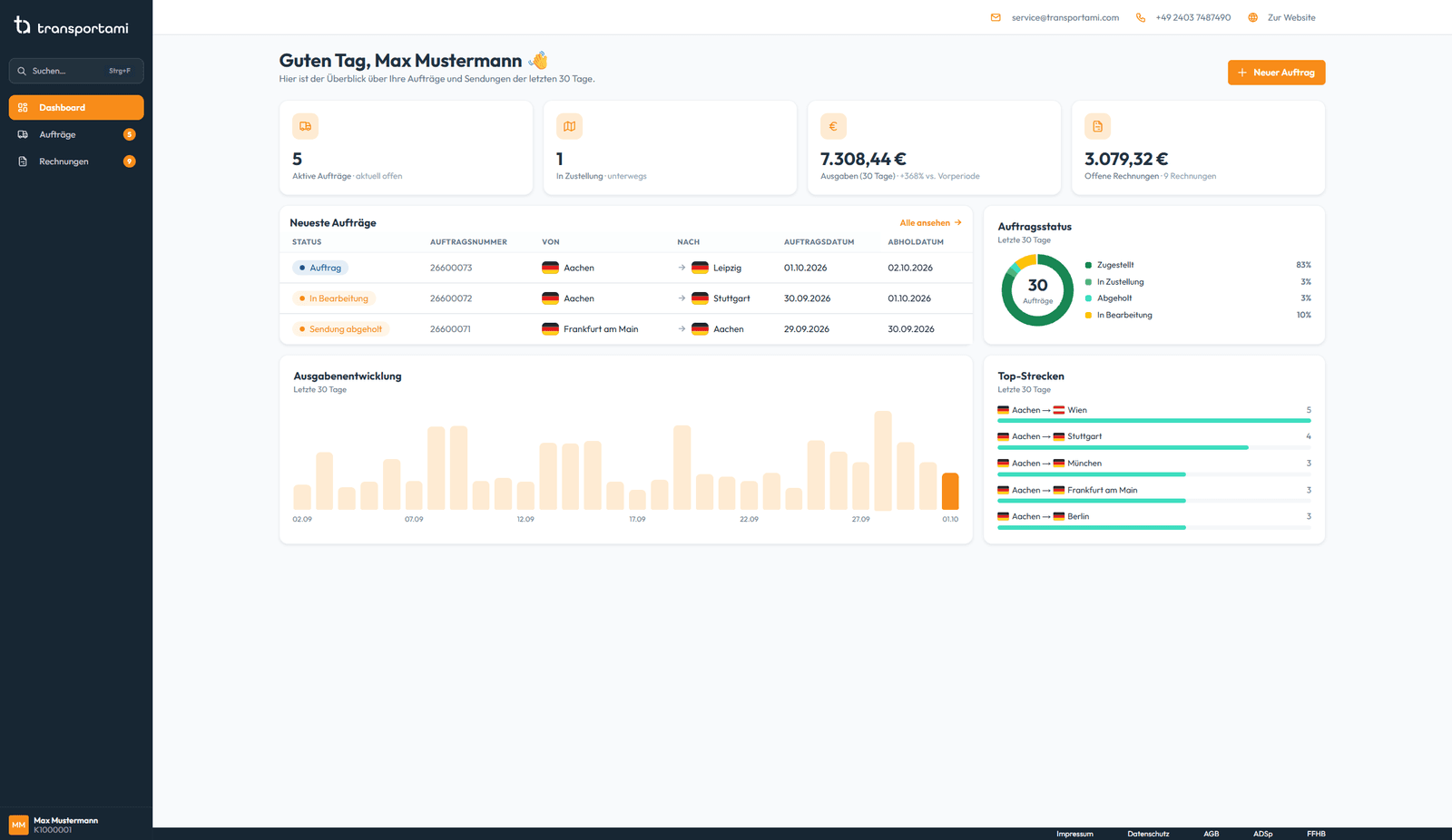
Right after logging in, you see what matters at the moment: your orders in the selected period, your active orders, the next pickup and open invoices. Below that you find your order trends, the status of your orders, your most frequent routes and your latest shipments. You change the period at the top, to 30 days, 3 or 12 months or your own dates. That way you always see the current status of your shipments without having to ask us.
Every order with shipment tracking
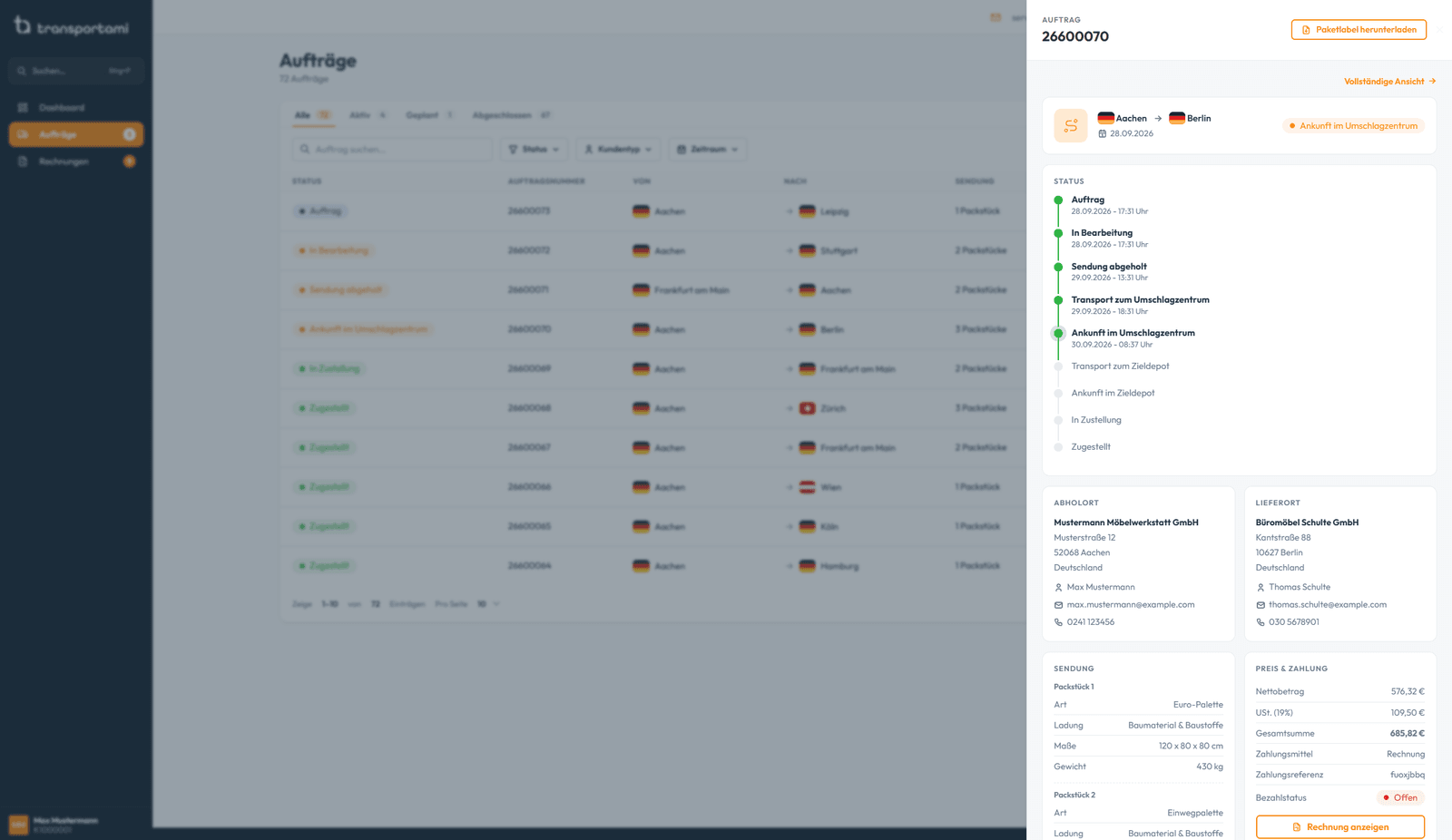
All orders are in one list that you can filter by status, period and customer type and sort by order or pickup date. One click opens the preview with shipment tracking from pickup to delivery, the addresses, packages and payment status.
The detail page shows all information about the order, also with shipment tracking. You can download the shipping label and invoice again at any time in both places.
You choose which columns the list shows. Via the menu of a row or the detail page, you copy an order into a new booking and choose whether the packages and the pickup, delivery and billing details come with it.
Invoices always at hand
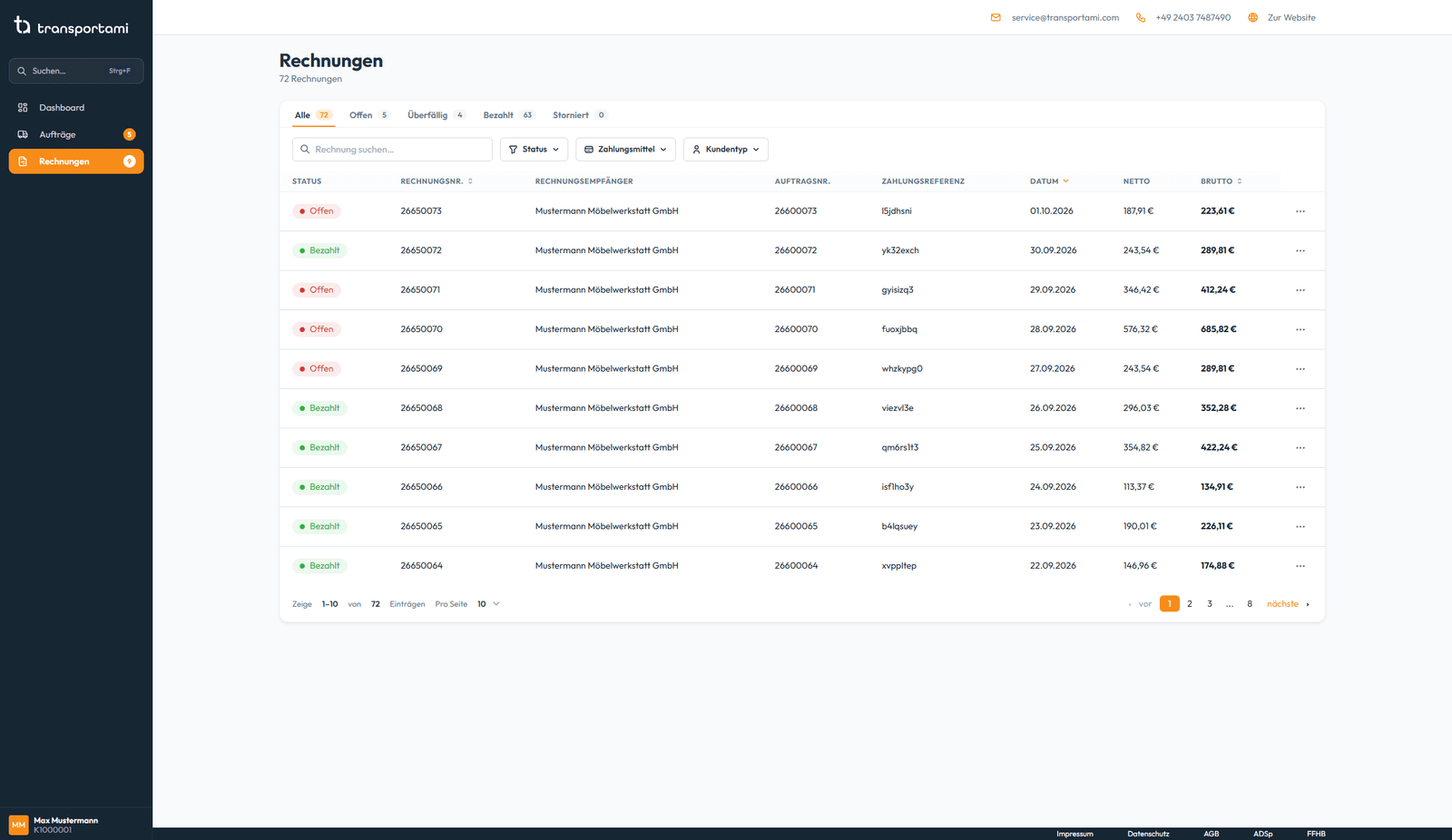
Every invoice is stored as a PDF in your account, even months later, when your accounts department asks for it. You can filter open and overdue invoices with one click, as well as by payment method, and sort by invoice number, date or amount.
Using “Export”, you download all invoices in the current view as an Excel or CSV file or as a ZIP with the PDFs and an overview. With the period filter you can limit the export to a single month, for example.
The global search (Ctrl+F or ⌘F) finds every order and every invoice from any page.
You change your contact details and your password yourself in the account settings. And if something is missing or you don't like something, send us your suggestion directly via the “Feedback” page in your customer account. It goes straight to our customer service.